If you’ve invested in a quality garden room, you may have discovered that reliable internet doesn’t always follow you across the lawn. Reliable internet access is essential in a garden office, not only for work tasks like video calls and emails, but also for leisure activities such as streaming or browsing online.
The good news? Most garden offices can support a strong, stable connection without drilling holes through walls or rewiring your property.
This guide walks you through the full range of options, from quick router tweaks that cost nothing to point-to-point wireless links that deliver near-wired performance. Whether you’re sending emails from a compact garden room or running video calls from a full-sized studio, you’ll find a solution that fits your setup and budget.
Key Takeaways
- The most reliable method for a long-term garden office used for video calls and large uploads is a wired connection, either a direct ethernet cable run or a point-to-point (PtP) wireless bridge with ethernet inside the office.
- Before purchasing new kit, try repositioning your main router closer to the garden-facing side of the house, switching devices to the 2.4GHz band for better range, and testing a plug-in wifi extender placed by a rear window.
- Mesh wifi systems, powerline adapters, and PtP links are ideal when the office is 10–30m away and used as a full-time workspace requiring consistent speeds for HD video conferencing.
- 4G/5G routers with a data-only sim card offer a completely independent internet connection for when extending home broadband is impractical.
1. Start with a Quick Signal Check in Your Garden Office
Before spending money on new hardware, take ten minutes to test what you already have. You might be surprised by how much signal reaches your garden building—or how little.
Stand inside your garden office with a smartphone or laptop and run a speed test using Speedtest.net or the Ookla app. Test at different times of day, as network congestion can affect results significantly between 9am and 6pm.
What to record:
Location | Download (Mbps) | Upload (Mbps) | Ping (ms) |
|---|---|---|---|
Next to router in house | e.g. 150 | e.g. 25 | e.g. 8 |
Inside garden office | e.g. 12 | e.g. 3 | e.g. 45 |
If your garden office speeds are below 10Mbps download, you’ll struggle with video calls (which need around 3Mbps upload and 10Mbps download for stable HD). Speeds under 25Mbps will make 4K streaming frustrating. |
Walk slowly from your back door to the office while watching the wi fi signal bars on your phone. Note exactly where the connection drops—this tells you where an extender or mesh node might work best.
Take note of:
- Distance in metres (8m, 15m, 25m, etc.)
- Obstacles in the path (brick walls, fences, trees, metal sheds, garages)
- Whether your garden office has thick insulation or double glazing
Malvern Garden Buildings’ premium insulation and double glazing are excellent for keeping your workspace warm and quiet, but these same features can slightly reduce wifi signal penetration. That makes good positioning and hardware choice even more important.
2. Optimise Your Existing Router – Easy, Low‑Cost Tweaks
Many UK homes with BT, Sky, Virgin Media, Plusnet, EE or other providers can improve garden coverage simply by changing router settings and placement. This costs nothing and takes fifteen minutes.
Router positioning
Your wi fi router performs best when it has a clear path to the devices it serves. For garden office coverage:
- Move the router as close as practical to the garden-facing side of the house
- Avoid hiding it inside cupboards, behind TVs, or on the floor
- Raise it to shelf height in a rear room, ideally near a window overlooking the garden
- Keep it away from cordless phones, baby monitors, and microwaves, which cause interference
Switch to 2.4GHz for range
Most modern routers are dual-band, broadcasting on both 2.4GHz and 5GHz frequencies:
- 5GHz offers faster speeds but shorter range—best for devices in the same room as the router
- 2.4GHz travels further and penetrates walls better—ideal for reaching a garden office
Access your router’s admin page (usually 192.168.1.1 or via your ISP’s app) and ensure the 2.4GHz band is enabled. Some routers let you create separate network names for each band, making it easy to connect garden devices to the longer-range frequency.
Change your Wi-Fi channel
The 2.4GHz band only has a few non-overlapping channels (1, 6, and 11 in the UK). If your neighbours are all using channel 6, switching to channel 1 can reduce interference and improve your wifi signal.
Free apps like WiFi Analyser (Android) show which channels are congested in your area. After changing channels, reboot your router so it can renegotiate with your ISP.
Tip: After making these changes, run another speed test from inside your garden office. If video calls are still dropping or speeds remain below 20Mbps, it’s time to consider the hardware options in the following sections.
3. Plug‑In Wi‑Fi Solutions: Extenders and Mesh Systems
Plug-in solutions work best when your garden office is within roughly 10–20m of the house and there’s only one or two walls in the way. They’re the quickest path to extend Wi-Fi coverage without running cables.
Wi‑Fi extenders (repeaters)
A Wi-Fi extender is the cheapest and simplest way to extend wifi coverage towards your garden building. Wi-Fi extenders are easy to install, often requiring just a few minutes and minimal technical expertise. You simply plug one adaptor into a mains socket, it connects to your existing wi fi network, and rebroadcasts the signal.
Best practice placement:
- Plug the extender into a socket near a rear window or patio door
- Position it roughly halfway between your main router and the garden office, or at the other end of the house from your router to optimise signal coverage
- Ensure it has a clear “view” out to the garden—glass passes signal better than brick
Reputable models:
Model | Approx. UK Price | Key Features |
|---|---|---|
TP-Link RE315 | £25–35 | Dual-band AC1200, compact design |
TP-Link RE450 | £35–50 | Tri-antenna design, stronger 5GHz |
Netgear EX6120 | £30–45 | Dual-band AC1200, wall-plug format |
Limitations to know: Extenders typically halve your throughput because they receive and retransmit on the same radio. A 100Mbps home connection might deliver 40–50Mbps in the garden office—fine for video calls and general browsing, but not ideal for large uploads or multiple users. |
Many extenders create a second network name (like “HomeWifi_EXT”), which means devices don’t switch automatically as you walk between house and garden. Look for models advertising “seamless roaming” or “single SSID” if this matters to you.

Mesh Wi‑Fi systems
Mesh systems are a more premium, whole-home solution. Instead of a single router, you have multiple nodes that work together to create one seamless wireless network designed to cover your entire property—including the garden.
Popular mesh products in 2026:
- TP-Link Deco mesh Wi-Fi (various models from £100–300 for 2–3 pack)
- Google Nest Wi-Fi (£180–280 for 2–3 pack)
- Amazon eero mesh Wi-Fi (£150–250 for 2–3 pack)
- Netgear Orbi mesh Wi-Fi (£200–400, with outdoor-rated options)
Optimal positioning:
- Place the main node by your modem/router
- Position a second node at the rear of the house, near a garden-facing window
- Optionally, place a third node just inside the garden office door or on a windowsill
Mesh systems are generally straightforward to install, with most brands offering app-based setup wizards to guide you through the process.
Mesh nodes use advanced technology to communicate with each other on a dedicated backhaul channel, preserving more bandwidth for your devices than a basic extender. They also handle roaming intelligently—your laptop or phone switches between nodes without dropping the connection.
Mesh is more expensive up-front but offers smoother roaming and better performance than basic extenders, especially if multiple people share the garden office or you’re running demanding applications like video editing software.
4. Wired Reliability: Ethernet Cables and Powerline Adapters
For anyone using their garden office for daily Zoom or Teams calls, large file uploads, or remote desktop work, a wired connection remains the gold standard. Devices can be connected directly to your home network using an Ethernet cable, which ensures maximum reliability and speed. Nothing matches ethernet for consistency and low latency.
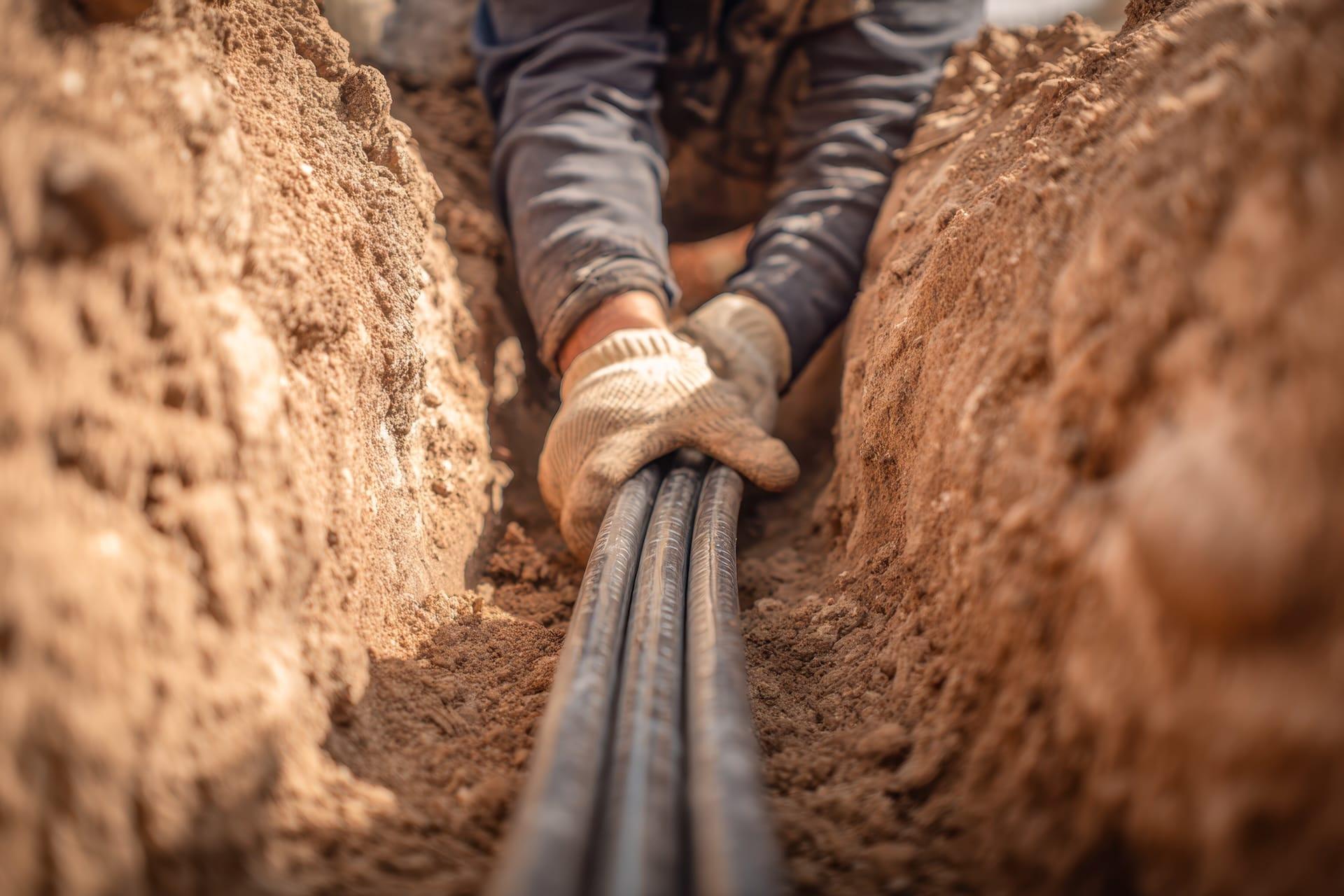
Running an ethernet cable to your garden office
A properly installed ethernet cable delivers your full broadband speed (potentially gigabit speeds) over distances up to 100 metres with virtually no latency. That’s 900Mbps+ real-world performance versus the 5–40Mbps you might get from wireless solutions.
What you’ll need:
- Outdoor-rated (external-grade) Cat6 or Cat6a cable – around £0.50–1 per metre
- Protective PVC conduit if burying the cable
- A small network switch or wi fi access point inside the office, with an ethernet port for connecting devices such as PCs or access points directly for a stable wired connection
- Cable glands for weatherproof entry points
Installation approach:
- Run the cable from a room near your main router, exiting the house at low level to minimise trench length
- Bury the cable 30–50cm deep in conduit, or clip it neatly along a fence line
- Enter the garden building through a pre-planned cable gland (easiest to specify during the build) or drill a small hole with a drip loop
- Connect to a switch inside the office, or to a Wi-Fi access point for wireless coverage within the room
Cable runs up to 70–80m are realistic in a typical UK garden. This is easiest done when power cables are first installed in the office, but can be retrofitted with care.
Consider professional installation if you’re not confident with outdoor cabling. A qualified electrician can run ethernet alongside your power supply, ensuring everything is properly protected and compliant. Expect to pay £200–500 for trenching and installation, but it’s a one-time investment that lasts 20–30 years.
Powerline adapters
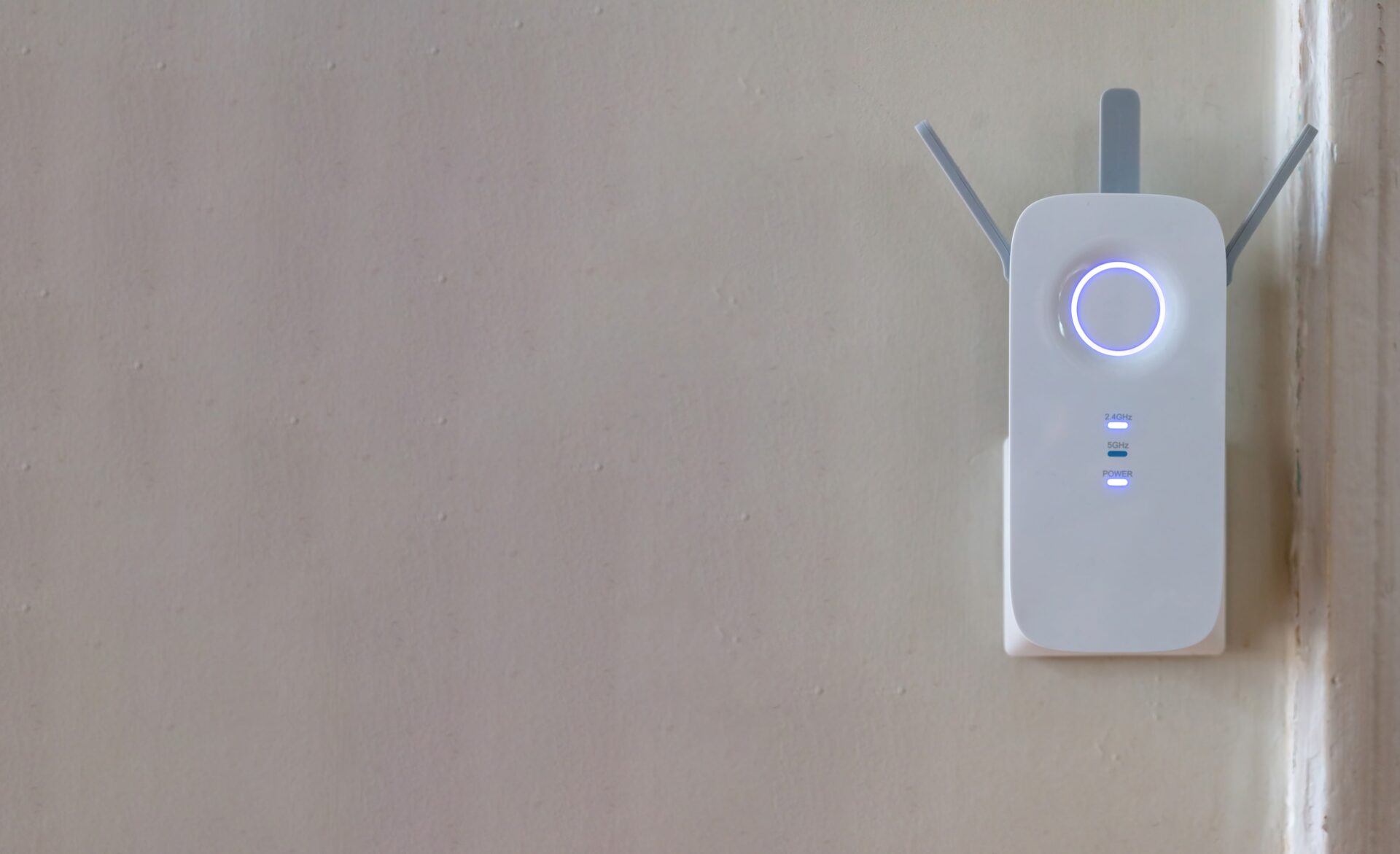
If you already have mains power in your garden building and want to avoid running new cables, powerline adapters are worth trying. They transmit data over your existing electrical wiring. Unlike a traditional wireless connection, which can suffer from weak signals or interference over distance, powerline adapters use the physical wiring to deliver a more stable and often faster connection to your garden office.
How they work:
- Plug one adaptor into a wall socket near your main router, connected via short ethernet cable
- Plug the second adaptor into a socket in your garden office
- The two units communicate over the electrical circuit, creating a network bridge
Powerline adapters are quick to install—typically, you just plug in the units and follow a simple pairing process.
Popular models:
- TP-Link AV1300/AV2000 (£30–90)
- Devolo Magic 2 (£80–150)
- Netgear Powerline (£40–100)
Many kits include built-in wi fi at the remote end, so devices in your garden office can connect wirelessly.
Important caveats:
- Powerline only works reliably if both sockets are on the same electrical circuit/phase
- Real-world speeds are typically 200–500Mbps, not the theoretical maximums advertised
- Performance degrades with older wiring or electrical noise from appliances
- Always plug directly into wall sockets, not extension leads
Powerline is best approached as a “try it and see” option. Most retailers accept returns, so you can test whether your property’s wiring supports decent speeds before committing.
5. Point‑to‑Point Wi‑Fi Links for Longer Gardens
Point-to-point (PtP) wireless bridges are the right solution for long, narrow UK gardens—typically 20–60m—where running a buried cable is difficult but a clear line of sight exists between house and office.
How PtP bridges work
Unlike mesh systems that broadcast in all directions, PtP units use directional antennas to create a focused “beam” between two points. Think of it as a private wireless tunnel just for your garden office.
Basic setup:
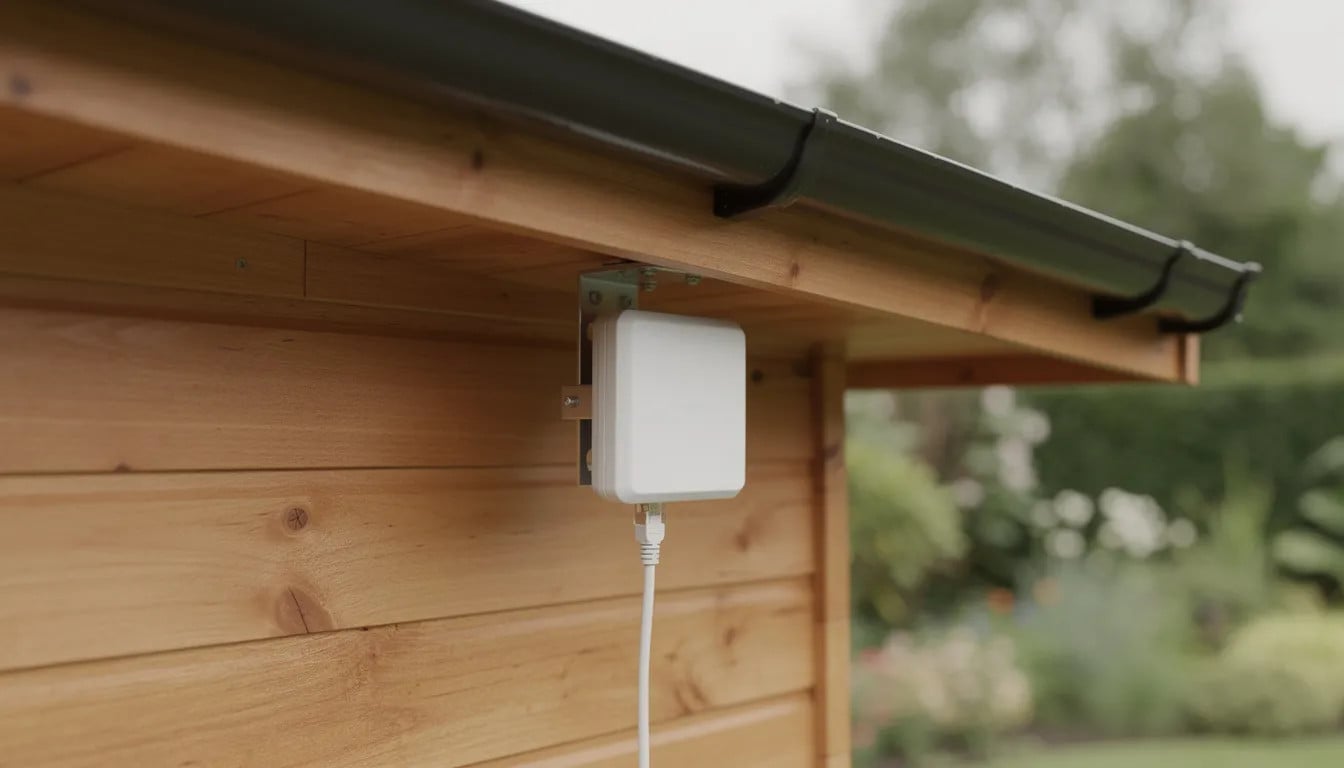
- Mount one outdoor radio on the house, typically under the eaves, connected via ethernet to your main router
- Mount the second radio on your garden building, aligned with the first
- Run a short ethernet cable from the garden office radio to a small wi fi router or access point inside
The result is near-wired performance across open air—users regularly report 400–500Mbps sustained speeds over 50m links, compared to 5–10Mbps from stretched home wifi.
Recommended PtP equipment
Brand/Model | Approx. UK Price (pair) | Best For |
|---|---|---|
Ubiquiti NanoStation Loco5AC | £80–120 | Budget-friendly, easy setup |
Ubiquiti NanoBeam AC | £100–160 | Stronger signal, longer range |
TP-Link CPE510 | £60–90 | Good value, simple wizard |
Most kits include PoE (Power over Ethernet) injectors, so you only need to run one cable to each unit. Configuration is handled via smartphone app or web browser, with alignment wizards to help you aim the units correctly. |
Getting installation right
Key requirements:
- Clear line of sight: Minimal trees, no brick walls or metal structures in the direct path. Position units high—on eaves or at roofline level—to clear 2m fences and hedges.
- Accurate alignment: Most units have LED indicators or app-based signal meters to help you find the optimal angle. A 60dB+ signal strength is the target.
- Weatherproofing: Choose IP65/IP67-rated units and ensure cable entries are sealed against rain.
Capable DIYers can follow manufacturer guides, but professional installation is worth considering if you want a tidy, weatherproof fit that complements the aesthetic of your Malvern garden building. Expect to pay £100–200 for installation labour on top of hardware costs.
After installation, run a before-and-after speed test. A well-configured PtP link should deliver stable speeds suitable for HD or 4K video calls, screen sharing, and large file transfers.
6. Mobile, 4G/5G and Satellite Options for Difficult Locations
Some situations make extending your home broadband impractical: rented properties where you can’t run cables, rural locations with weak fixed-line speeds, or complex driveways that make trenching expensive. In these cases, an independent mobile or satellite connection might be the best option. These solutions provide independent internet access for your garden office, ensuring connectivity even when traditional broadband extension is not possible.
4G/5G routers with data SIM
A dedicated 4G or 5G router in your garden office creates a completely separate internet connection, independent of your home network.
How to set up:
- Check indoor mobile signal in your garden office using your smartphone
- If signal is reasonable, try using your phone as a hotspot for a day to test real-world performance
- Purchase a dedicated router with a data-only SIM card from UK providers like EE, Three, Vodafone, or O2
What to expect:
- 4G typically delivers 30–80Mbps in areas with good coverage
- 5G can reach 300–900Mbps in urban areas with direct mast visibility
- Three UK’s 5G home broadband hubs average around 300Mbps nationwide
Satellite broadband
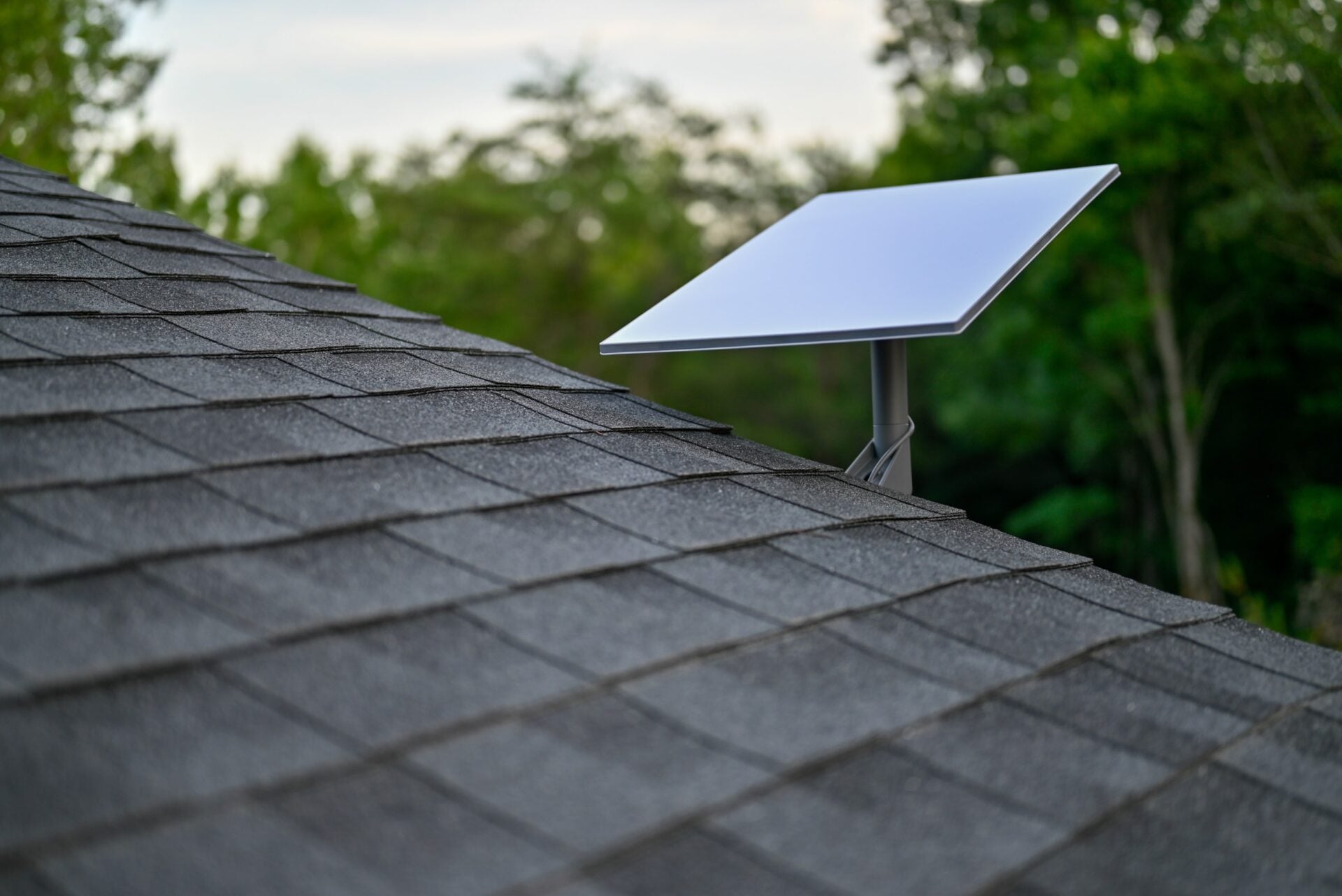
For offices in rural areas with poor mobile coverage, satellite broadband offers an alternative. Starlink is now available across most of the UK, delivering 50–200Mbps with improving latency (typically 25–50ms).
The dish can be installed on the house roof or directly on the garden office, with a router inside the workspace. Monthly costs are higher than fixed-line broadband (currently around £75/month plus £449 hardware), but for remote locations it can transform connectivity.
Before committing to mobile or satellite, consider:
- Data caps (though unlimited plans are increasingly common)
- Latency requirements for video calls and real-time applications
- Contract terms and early termination fees
- Whether home broadband might be upgradable (check if full fibre is coming to your area)
7. Positioning Your Garden Office and Devices for Best Connectivity
While Malvern Garden Buildings are constructed with quality insulation and double glazing, simple positioning choices still make a noticeable difference to wi fi quality—both for the building itself and the equipment inside it.
Planning a new garden office
If you’re ordering a new garden room, think about connectivity alongside electrics and heating:
- Location matters: Position the building within reasonable distance of the house router. Avoid placing it directly behind a large brick garage or thick hedge if you plan to use wireless solutions.
- Cable routes: Ask about running ethernet cable alongside power during installation—it’s far easier to do at the build stage than to retrofit later.
- Entry points: Consider specifying a cable gland on the rear panel for neat, weatherproof cable entry.
Optimising an existing garden office
Inside the office:
- Position your desk and primary work device (laptop, PC, TV for video calls) near the side of the building facing the house
- Place any in-office router or access point on a shelf at head height
- Keep network equipment away from metal filing cabinets, mini-fridges, or thick internal storage walls that can block signal
External equipment:
- Mount PtP radios or outdoor access points under the eaves, not directly behind metal guttering or thick fascias
- Aim for discreet, neat mounting that complements the building’s aesthetic
- Ensure outdoor cables have drip loops to prevent water ingress
Reassurance for existing owners: You don’t need to modify your garden building to achieve excellent connectivity. The solutions in this guide work with your space as it is—through smart hardware choices, good positioning, and proper setup.
8. Choosing the Right Option for Your Malvern Garden Office
Different solutions suit different situations. Here’s a quick framework based on typical Malvern Garden Buildings customer scenarios:
Ensuring reliable internet access is key to making your garden office as functional as any room in your main home.
Remote workers, creatives, and families across the UK are transforming their outdoor spaces with Malvern Garden Buildings, enjoying the perfect blend of comfort, style, and connectivity.
Decision guide by distance and usage
Situation | Recommended Approach |
|---|---|
Office within 10m, light use (emails, browsing) | Optimise router position + good wi fi extender |
Office within 10m, heavy use (video calls, uploads) | Mesh system with node at rear of house |
Office 10–30m away, daily professional use | Ethernet cable (if practical) or PtP wireless bridge |
Office 30–60m away with clear line of sight | PtP wireless bridge with quality access point inside |
Rural property with weak home broadband | 4G/5G router with external antenna, or Starlink |
Rental property where cables aren’t permitted | Mesh system or 4G/5G independent connection |
Key principles for any setup
Prioritise reliability over headline speeds. A stable 50Mbps connection that never drops is far better for video calls than a theoretical 500Mbps that cuts out every few minutes. When multiple people share the garden office, this becomes even more important.
Plan connectivity alongside the build. If you’re ordering a new Malvern garden office, discuss cable routes and equipment placement with the team from day one. It’s much easier—and cheaper—to get this right during installation.
Start simple, then upgrade if needed. Test your existing setup, try router optimisation, perhaps invest in a good extender. Only move to more complex solutions (PtP, buried ethernet) if simpler methods don’t meet your needs.
With a modest investment in the right products and proper positioning, your garden office can perform very similarly to a well-wired room in your main home.

Frequently Asked Questions
Do I need a separate broadband contract for my garden office?
In most UK homes, the best approach is to extend your existing broadband using one of the methods described—extender, mesh, ethernet, PtP, or powerline. This means you only need one contract and one monthly payment.
Separate contracts (such as 4G/5G mobile broadband or Starlink satellite) are usually only worth considering if your home broadband itself is too slow or unreliable to share, or if running any connection from house to garden is impractical.
Using a single network also simplifies life with shared printers, smart speakers, and backups between house and office—everything stays on the same home network.
Is Wi‑Fi safe for sensitive work like banking or client data in a garden office?
When using WPA2 or WPA3 encryption (the default on any modern router) and a strong wi fi password, your garden office network is as secure as the home network it extends from.
Best practices include:
- Changing default router and access point passwords immediately
- Keeping router firmware up to date
- Using a reputable VPN if company policies require it
- Avoiding public or “open” networks for sensitive work
For particularly sensitive work, a wired ethernet connection from router to office further reduces the risk of wireless interception, as there’s no radio signal to intercept.
Will weather affect my garden office internet connection?
Rain and dense foliage can slightly reduce outdoor wi fi range, especially on higher frequencies like 5GHz. However, a well-designed system—whether mesh, PtP, or wired—should cope with UK weather year-round.
For external equipment:
- Use weatherproof enclosures or manufacturer-approved outdoor housings for any radios or access points
- Choose external-grade (UV-resistant, waterproof) ethernet cable for any runs exposed to the elements
- Position equipment under eaves where possible to reduce direct rain exposure
The insulated construction of Malvern garden offices helps keep internal equipment at a stable temperature, which is good for router and hardware longevity – unlike an uninsulated shed where electronics might suffer from condensation or temperature extremes.
How many devices can I realistically run in a garden office?
A well-configured connection can comfortably support a typical home office setup:
- Laptop or PC
- Second monitor (connected to the same computer)
- VoIP phone or video conferencing
- Printer
- 2–3 smart devices (speaker, thermostat, security camera)
If multiple people work in the office simultaneously, two remote workers plus a teenager streaming video, for example – you’ll benefit from wired backhaul (ethernet or PtP) plus a decent in-office access point, rather than relying purely on extended wifi.
For future-proofing, choose equipment rated for at least Wi-Fi 5 (802.11ac) or Wi-Fi 6 (802.11ax). This ensures capacity for additional devices and higher speeds as your needs grow over the next several years.
Ready to invest in your perfect garden office?
Browse our full collection of premium garden rooms, studios, and summerhouses designed for comfort, durability, and functionality.


